Broker Settings
Host: mqtt.arcyn.com
Port: 1883
TLS Port: Don't enable TLS
Username: meshuser
Root Topic: msh/US
Use these settings in the Meshtastic app MQTT section. Replace password with your assigned value.
Setup Steps
1. Open Meshtastic app and connect to your node.
2. Navigate to MQTT settings.
3. Enter broker info and enable MQTT.
4. Save and reboot node.
Screenshots
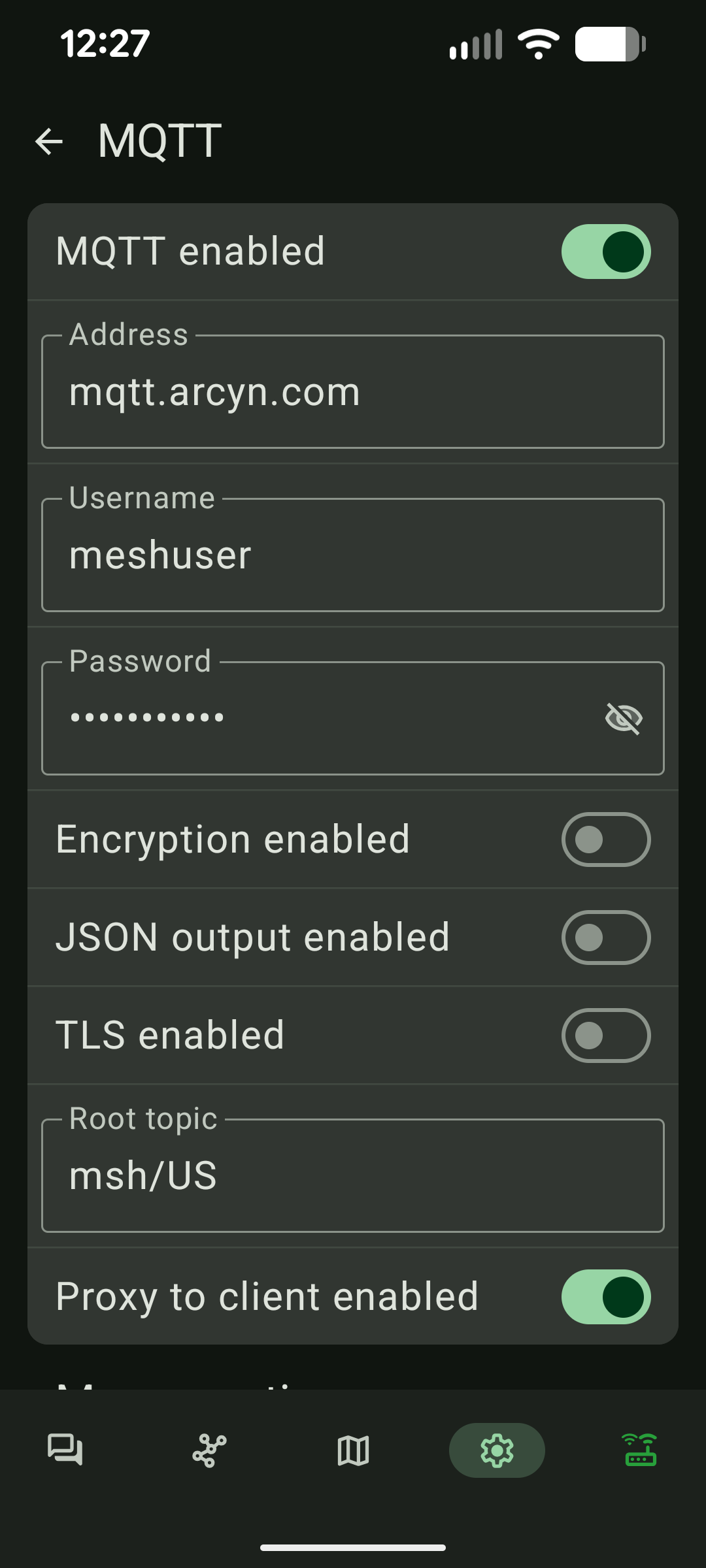
MQTT settings page
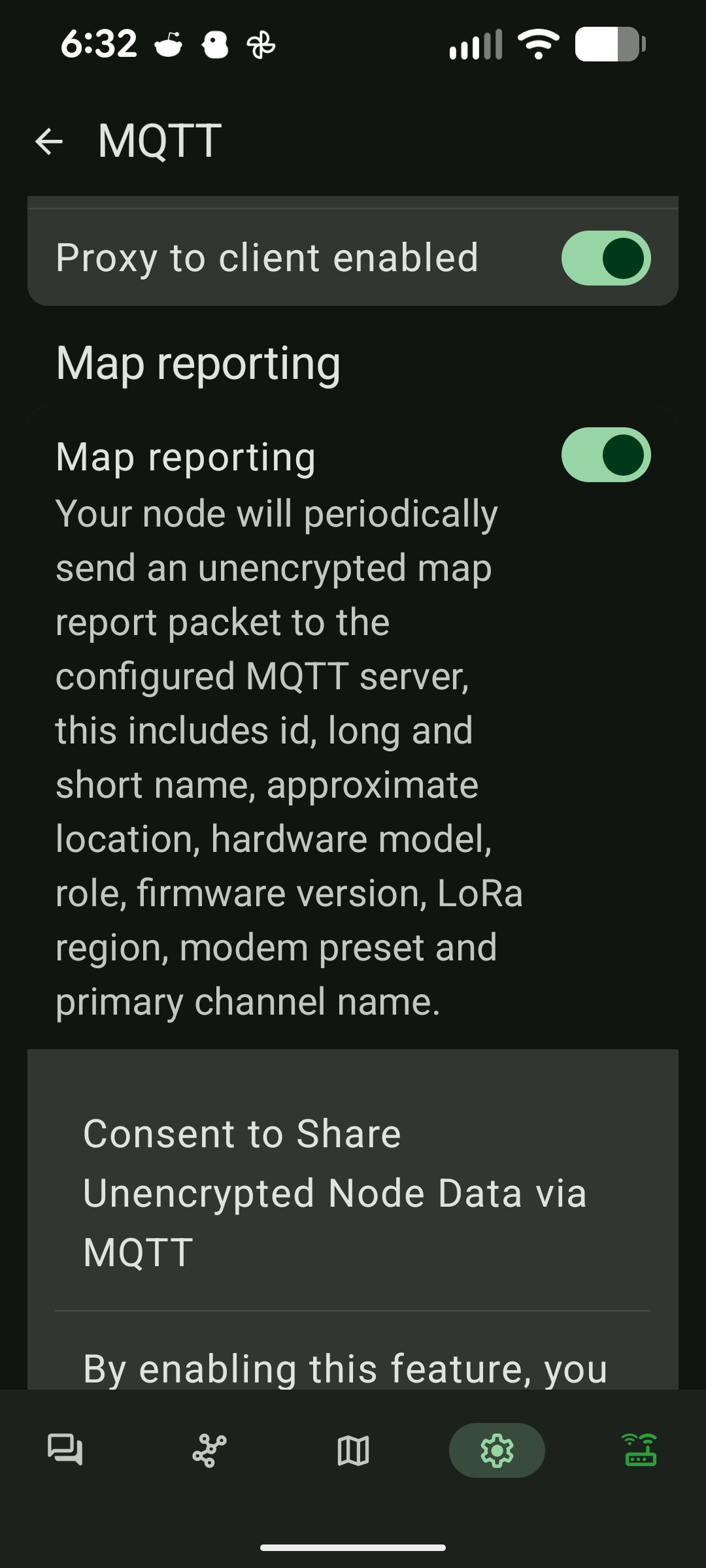
Map packets are forwarded to the public broker
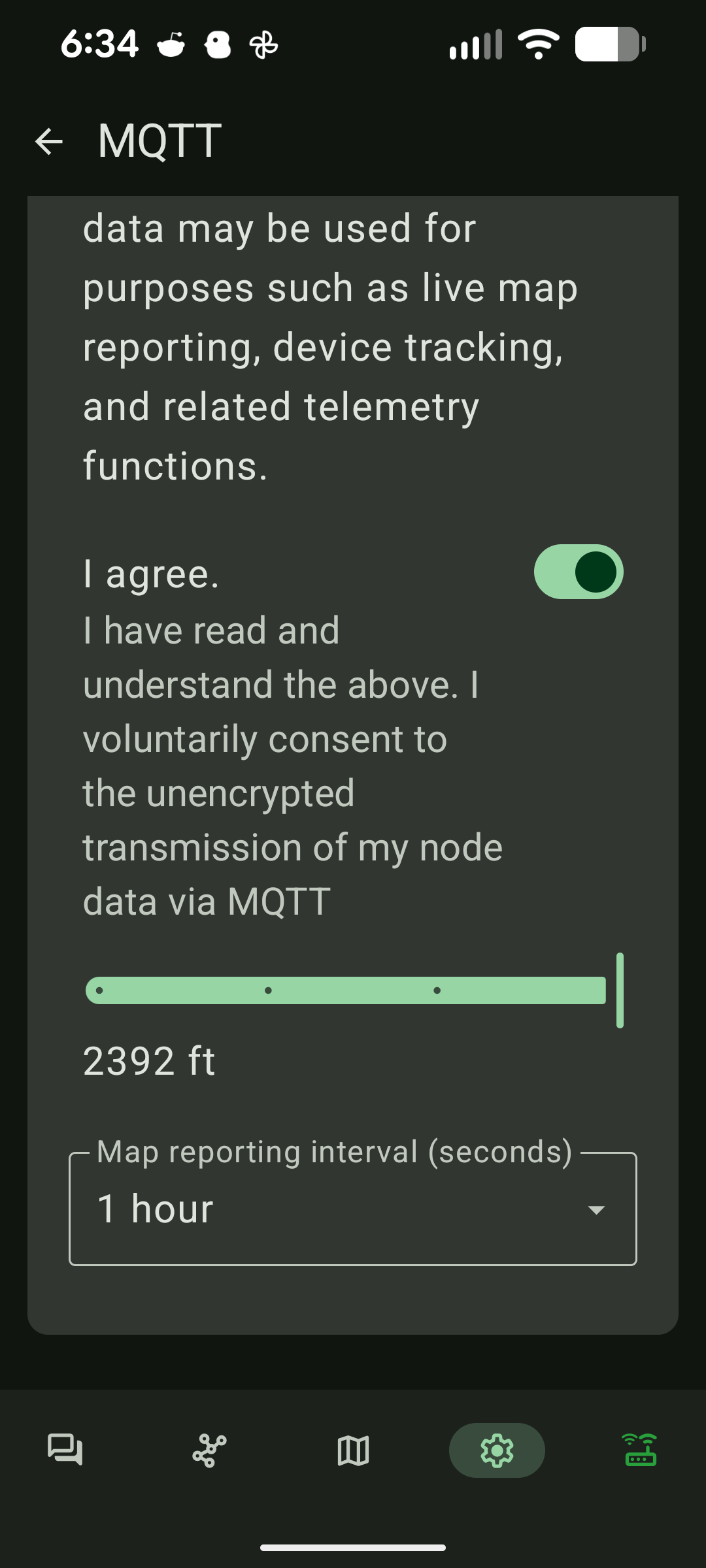
If you consent your map packets are sent to the public broker as well
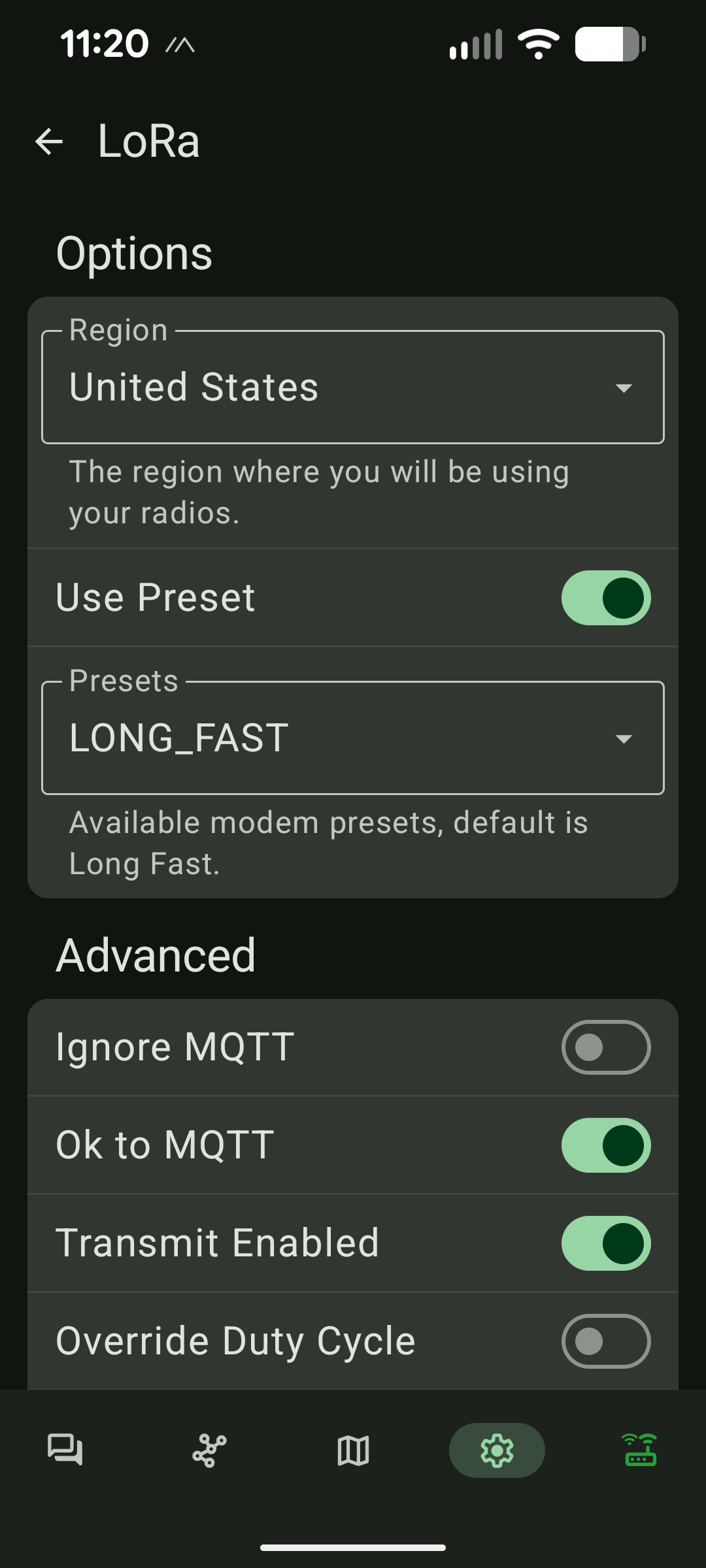
Don't forget the MQTT settings on the LoRa page
Troubleshooting
No messages? Check internet, username/password, and broker address.
Make sure you enable MQTT up and down on your channel